> For the complete documentation index, see [llms.txt](https://socialbiz.gitbook.io/socialbiz/llms.txt). Markdown versions of documentation pages are available by appending `.md` to page URLs; this page is available as [Markdown](https://socialbiz.gitbook.io/socialbiz/faq/automation/12.md).
# 예약 시간에 메시지를 한번에 보낼 수 있나요?
\#게시물/릴스 댓글 답장 #DM 발송 #발송 예약
## 예약 발송이란?
* **소재 게시 시점 \~ 예약된 시간**까지 댓글을 남긴 사용자들에게 예약된 시간에 DM을 일괄 발송하는 기능이에요.
* 댓글을 남긴 사용자에게 7일 이내에만 DM을 발송할 수 있어요.
* META의 API 제약 상 DM은 1시간에 750개만 발송할 수 있어요. 게시중인 모든 소재의 발송 수가 1시간동안 750건이 넘을 경우 발송되지 못한 DM은 **매 시간 단위로 순차 발송**돼요.
* 순차 발송 시 발송 가능한 범위를 초과할 경우는 DM이 발송되지 않을 수 있어요.
* DM 발송을 위한 필수 설정이 되지 않으면 예약된 시간에 발송이 실패될 수 있으니 설정 여부를 꼭 확인해 주세요. ([가이드 보기](/socialbiz/faq/error/2.md))
* [발송이 실패된 예약 메시지는 설정 재 확인 후 다시 처리](/socialbiz/faq/automation/13.md)됩니다.
{% hint style="success" %}
DM 발송 예약은 '게시물/릴스 댓글 답장' 유형에서만 설정할 수 있어요.
{% endhint %}
## 설정 방법
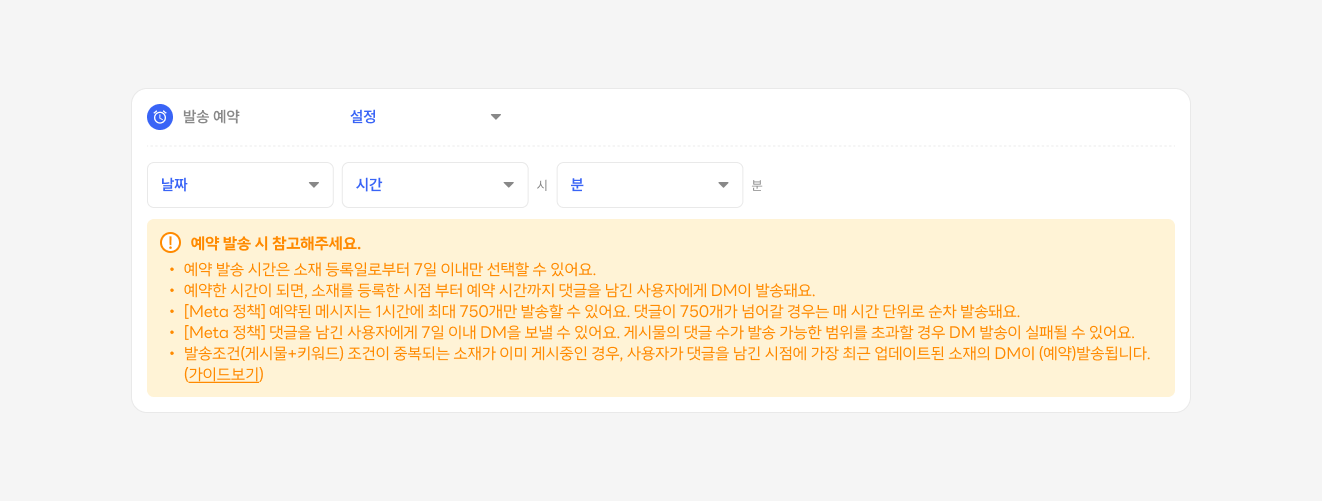
* 게시물/릴스 댓글 답장의 소재 등록 화면에서 '발송예약' 을 '설정'으로 선택해주세요.
* DM을 발송할 시간을 선택해주세요. (7일 이내만 선택 가능)
* 소재를 적용할 게시물 또는 릴스를 선택해주세요. (모든, 다음 게시물 선택 불가)
## 발송 예약 기능 사용 시 참고 사항 👀
* 7일 이내 시간만 선택할 수 있어요. (META 제약)
* 시간은 30분 단위로만 선택할 수 있어요.
* 특정 게시물만 선택할 수 있어요.
* 답글(대댓글)은 실시간으로 사용자가 남긴 댓글에 등록돼요.
* 발송이 예약된 소재의 내용은 수정할 수 없어요. (게시 상태를 변경하려면 목록에서 토글을 스위치 해주세요.)
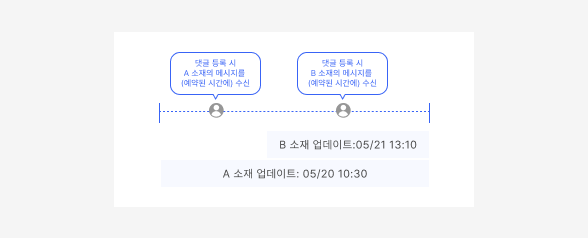
* 선택된 게시물 조건과 키워드 조건이 중복되는 소재가 동시에 게시중인 경우, 사용자가 댓글을 남긴 시점에 가장 최근 업데이트된 소재가 적용되어 예약된 시간에 DM이 발송돼요.
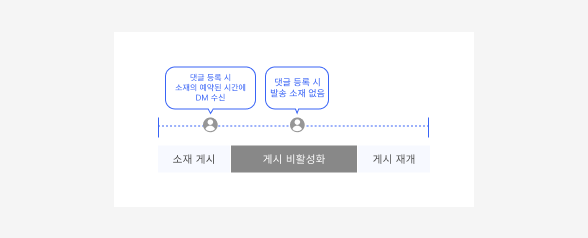
* 예약 소재의 게시 상태를 ON > OFF > ON 변경하는 경우, 소재가 게시중일 때 댓글을 남긴 사용자에게만 예약된 시간에 DM이 발송돼요.
## 활용 가이드 💡
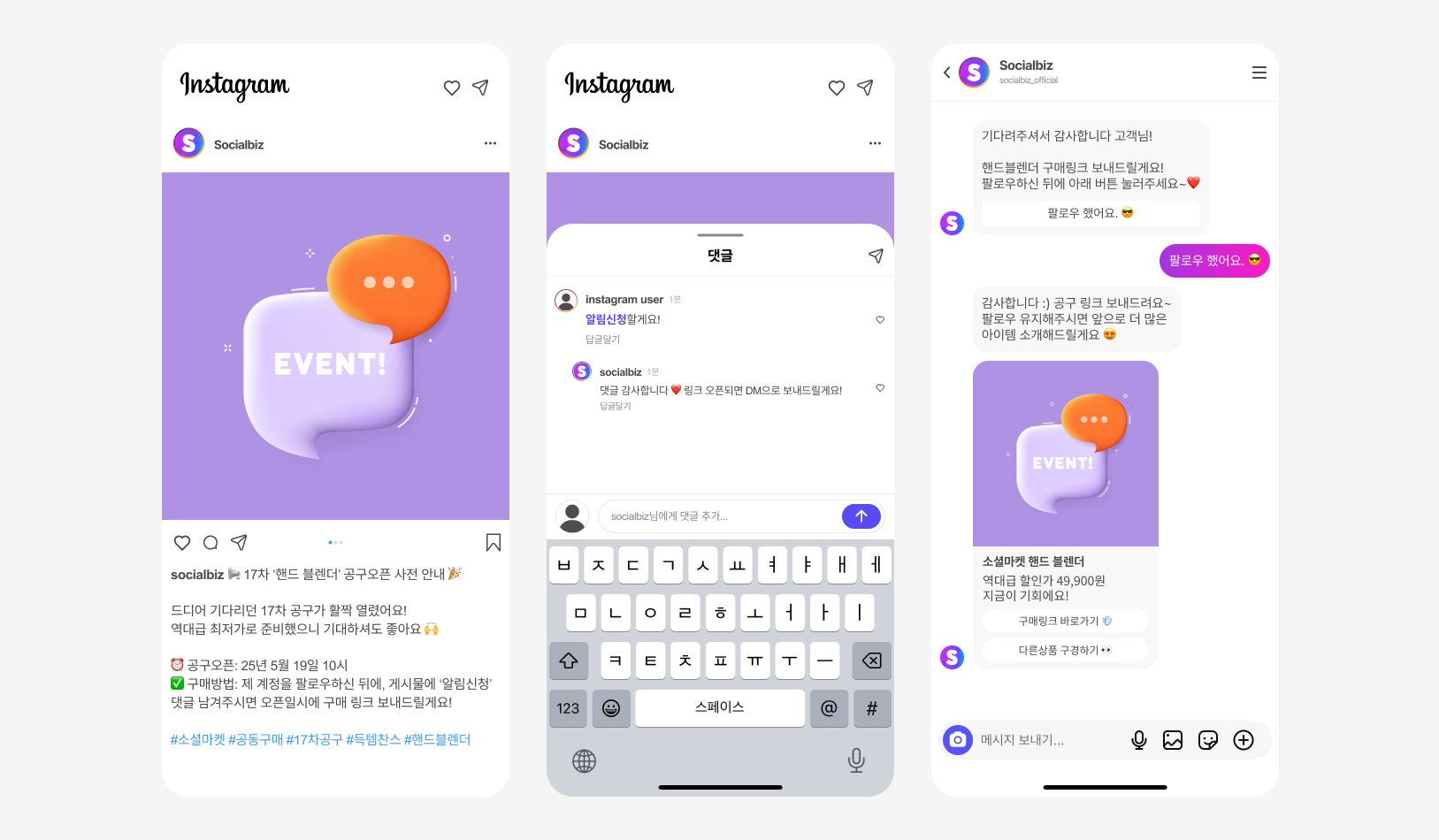
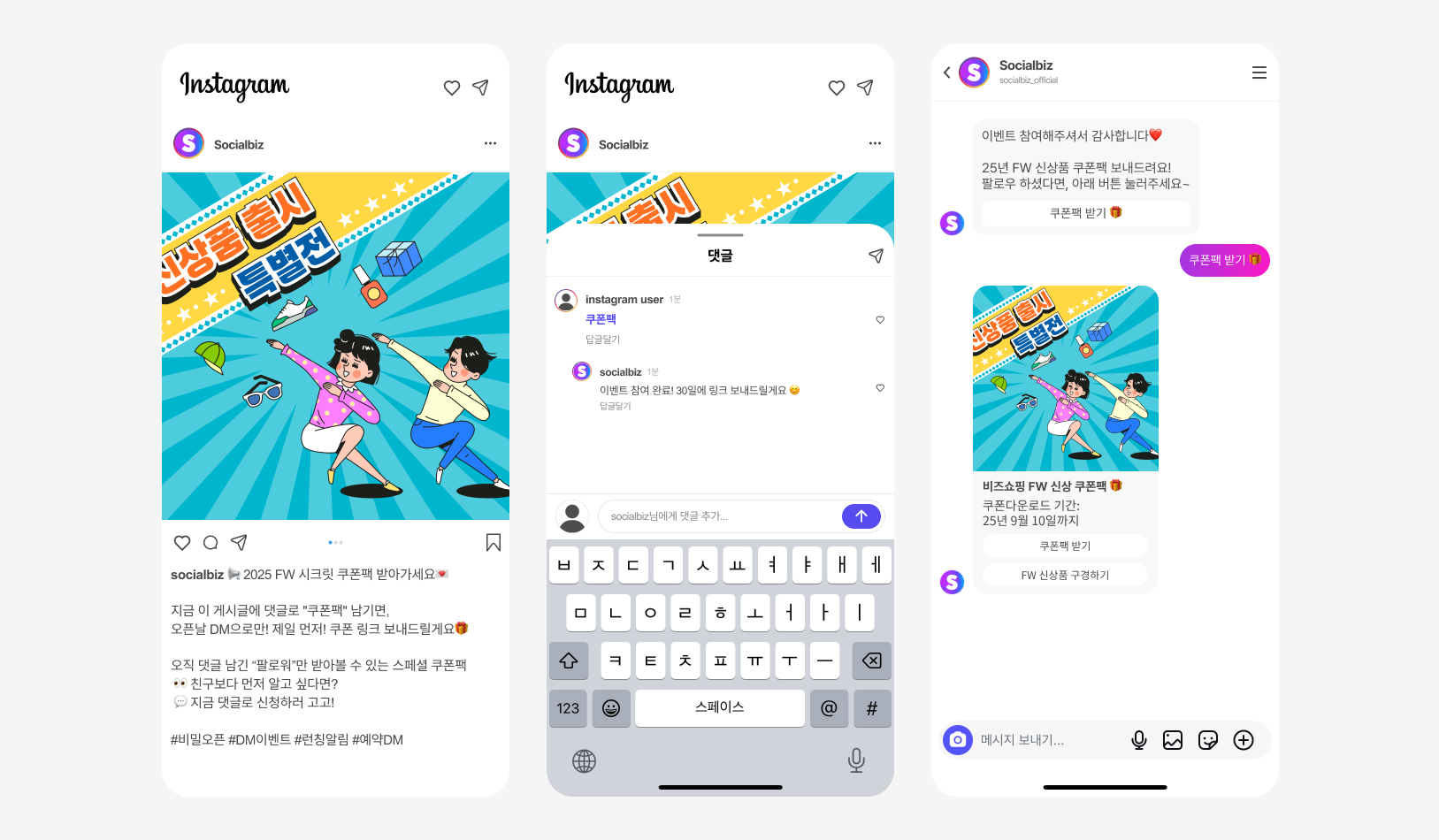
* 공동 구매 일정이 예정되어 계신 경우, 오픈 일정에 맞춰 댓글을 단 고객에게 자동으로 DM을 예약 발송할 수 있어요.
* 신제품 출시 전 사전 관심 고객을 댓글로 모집하고, 출시일에 맞춰 DM으로 제품 정보를 자동 발송해보세요.
* 이벤트나 프로모션 게시물에 댓글을 단 참여자에게, 예약 시간에 할인 쿠폰을 DM으로 발송할 수 있어요.