> For the complete documentation index, see [llms.txt](https://socialbiz.gitbook.io/socialbiz/llms.txt). Markdown versions of documentation pages are available by appending `.md` to page URLs; this page is available as [Markdown](https://socialbiz.gitbook.io/socialbiz/faq/automation/3.md).
# DM 발송 키워드는 최대 몇개까지 설정이 가능한가요?
\#키워드 #키워드 제한 #키워드 개수 제한 #댓글 키워드
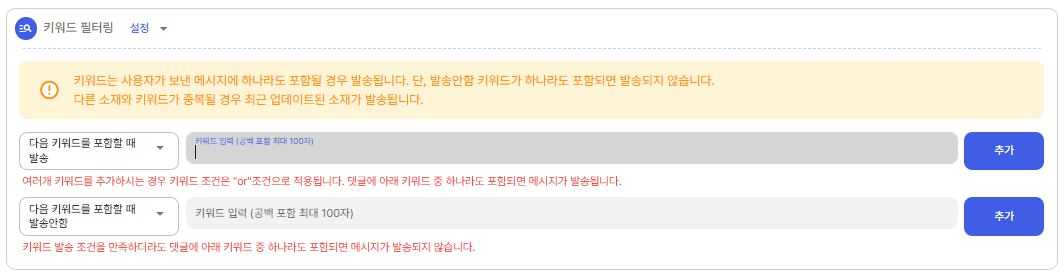
키워드 설정은 키워드를 입력한 후 *우측 '추가' 버튼* 또는 *엔터키*를 입력해주셔야 키워드가 설정됩니다.\
키워드를 설정하지 않는 경우 댓글을 작성하는 모든 계정에 설정된 DM이 발송됩니다.
-발송 키워드 : 해당 키워드가 포함된 댓글을 작성한 경우, 해당 작성자 계정에 설정된 소재 DM 발송
-발송안함 키워드 : 해당 키워드가 포함된 댓글을 작성한 경우, DM이 발송되지 않음
\# 하나의 댓글에 '발송 키워드'와 '발송안함 키워드'가 포함되는 경우 **DM이 발송되지 않음**\
ex) 발송 키워드 '소셜' / 발송 안함 키워드 '비즈'로 설정한 경우, '소셜비즈' 댓글 작성 시, DM이 발송되지 않음